
The modern digital nomad carries an entire office in a backpack. But lightweight gear isn’t enough – you need portable tech that actually makes remote work seamless across time zones, coffee shops, and co-working spaces from Bangkok to Barcelona. These are the gadgets that transform chaotic travel logistics into productive work sessions anywhere.
Remote work has evolved from pandemic necessity to lifestyle choice. In 2026, over 35 million Americans identify as digital nomads, and the travel tech industry has responded with innovative gadgets designed specifically for location-independent professionals. The challenge isn’t finding portable gear – it’s finding gear that’s both portable and powerful enough to replace your home office setup.
After testing dozens of products across three continents and six months of continuous travel, I’ve identified the essential tech that actually delivers on the portable productivity promise. Here’s what belongs in every digital nomad’s carry-on.
The Portable Workstation Setup

1. Ultra-Portable Laptop Stand with Ergonomic Design
Hotel desks are notoriously terrible for posture. After three weeks of hunching over borrowed workspaces, your back will demand better ergonomics. A quality portable laptop stand transforms any surface into an ergonomic workstation.
Look for stands that fold flat (under ½ inch thick) and weigh under 10 ounces. Aluminum construction provides stability without weight penalty. Adjustable height and angle settings let you customize your viewing position whether you’re working from a beach cafe in Bali or a co-working space in Lisbon.
The stand I’ve used for 18 months of continuous travel has survived drops, spills, and daily setup/teardown cycles. It elevates my laptop screen to eye level, reducing neck strain during marathon work sessions. When packed, it disappears between my laptop and tablet in my backpack.
2. Wireless Travel Keyboard with Touchpad
Tablets and phones are capable work devices, but on-screen typing destroys productivity. A compact wireless keyboard with built-in touchpad transforms your tablet into a laptop replacement that weighs less than many ultrabooks.
The sweet spot is 60% layout – full-size keys but condensed footprint. Scissor-switch mechanisms provide laptop-like typing feedback without membrane mush. Bluetooth 5.0 ensures reliable pairing across multiple devices (I switch between my iPad, phone, and laptop constantly).
Battery life matters: look for keyboards that deliver 60+ hours of typing on a single charge. USB-C charging is now standard, eliminating proprietary cable clutter. Some models include phone/tablet stands, though dedicated stands offer more adjustability.
3. Noise-Canceling Earbuds for Focus Anywhere
Open-plan co-working spaces, noisy cafes, and hotel neighbors can destroy concentration. While over-ear headphones provide superior noise cancellation, noise-canceling earbuds offer the sweet spot of portability and focus enhancement for digital nomads.
Active noise cancellation (ANC) blocks low-frequency rumbles (air conditioning, traffic, aircraft). Transparency mode lets you hear announcements without removing earbuds – essential for navigating unfamiliar transit systems.
For calls, look for beamforming microphones that isolate your voice from background noise. I’ve taken client calls from chaotic markets and quiet mountain cabins – my call quality remained consistent thanks to advanced microphone arrays.
Battery life has improved dramatically. Premium models now deliver 8+ hours of ANC-enabled listening, with charging cases providing 24+ additional hours. Wireless charging compatibility adds convenience when your outlet access is limited.
Power and Connectivity Solutions
4. Universal Travel Adapter with Fast Charging

Nothing kills productivity faster than a dead battery. A quality universal travel adapter eliminates the stress of incompatible outlets across 150+ countries.
Modern adapters include USB-C Power Delivery (PD) ports capable of 65W+ output – enough to fast-charge laptops, not just phones. Look for GaN (gallium nitride) technology: it enables higher power output from smaller, cooler-running adapters compared to traditional silicon.
The best adapters feature AC outlets alongside USB ports, letting you charge multiple devices simultaneously. Built-in safety systems protect against surges, overloads, and overheating – critical when you’re plugging into unknown electrical infrastructure in developing countries.
I recommend carrying two adapters: one premium model with PD charging for laptops, and one budget backup for phones/tablets. Redundancy matters when your adapter fails in a country where replacements aren’t available.
5. High-Capacity Power Bank with Laptop Charging
Airports, buses, trains, and cafes don’t always have accessible outlets. A high-capacity power bank with laptop charging provides independence from unreliable electrical infrastructure.
For digital nomads, capacity matters: 20,000mAh is the minimum for charging a laptop 1-1.5 times plus phones. 30,000mAh+ provides 2-3 full laptop charges but approaches airline battery limits (check current regulations before flying).
Power Delivery (PD) 3.0 with 65W+ output is essential for laptop charging. Multiple USB ports let you charge phone, tablet, and laptop simultaneously. LED displays showing remaining capacity prevent unpleasant surprises when you’re working remotely.
Weight is the tradeoff: high-capacity banks weigh 1-1.5 pounds. Calculate whether this weight justifies the outlet independence. For me, working during 12-hour bus rides through Peru made the weight penalty worthwhile.
6. Compact Electronic Organizer Cable Management
Tangled cables destroy productivity. A well-designed electronic organizer transforms a rat’s nest of chargers, cables, and accessories into an organized system that sets up in seconds.
Look for organizers with dedicated compartments for each device type: laptop charger, phone chargers, cables, memory cards, portable hard drives. Elastic loops secure cables, while zippered mesh pockets keep small items visible and accessible.
Water-resistant materials protect your electronics from tropical humidity and surprise rainstorms. Double zippers allow access from either side – crucial when workspace is limited.
The time savings add up: setting up my mobile office went from 10 minutes of cable untangling to 30 seconds of unpacking a single organized pouch. That’s 9.5 minutes saved, twice per day, every workday.
Connectivity and Communication
7. Portable WiFi Hotspot with Global Connectivity

Public WiFi security is terrible, and connection quality varies wildly. A dedicated portable WiFi hotspot provides secure, reliable internet across 100+ countries without swapping SIM cards.
Modern hotspots support 4G LTE and emerging 5G networks, delivering speeds sufficient for video calls and large file transfers. Battery life ranges from 10-16 hours of continuous use – enough for a full workday.
Data plans have evolved: many providers offer unlimited data in specific regions or flexible pay-as-you-go options. Some hotspots connect up to 15 devices, making them valuable for small teams traveling together.
The real advantage is security: your own encrypted network eliminates risks associated with public WiFi. I’ve conducted client financial discussions from hotel hotspots that I wouldn’t trust with a simple Google search.
8. Webcam Cover and Privacy Screen Filter
Digital privacy matters, especially when working with sensitive client information in public spaces. A webcam cover slider provides physical privacy protection against accidental camera activation.
Ultra-thin designs (0.03 inches) prevent laptop lid interference. Adhesive backings attach securely without leaving residue. Slider mechanisms open and close smoothly, unlike cheaper peel-and-stick options that wear out quickly.
For working in public, privacy screen filters limit viewing angles to 60 degrees directly in front of your screen. Side viewers see only black, preventing visual hacking in cafes and co-working spaces.
Installation quality matters: cheap filters reduce screen brightness and clarity. Premium anti-glare coatings maintain visibility while preserving privacy. Measure your laptop screen carefully – filters are trim-to-fit but require precise dimensions.
Storage and Backup Solutions
9. Rugged Portable SSD with Hardware Encryption
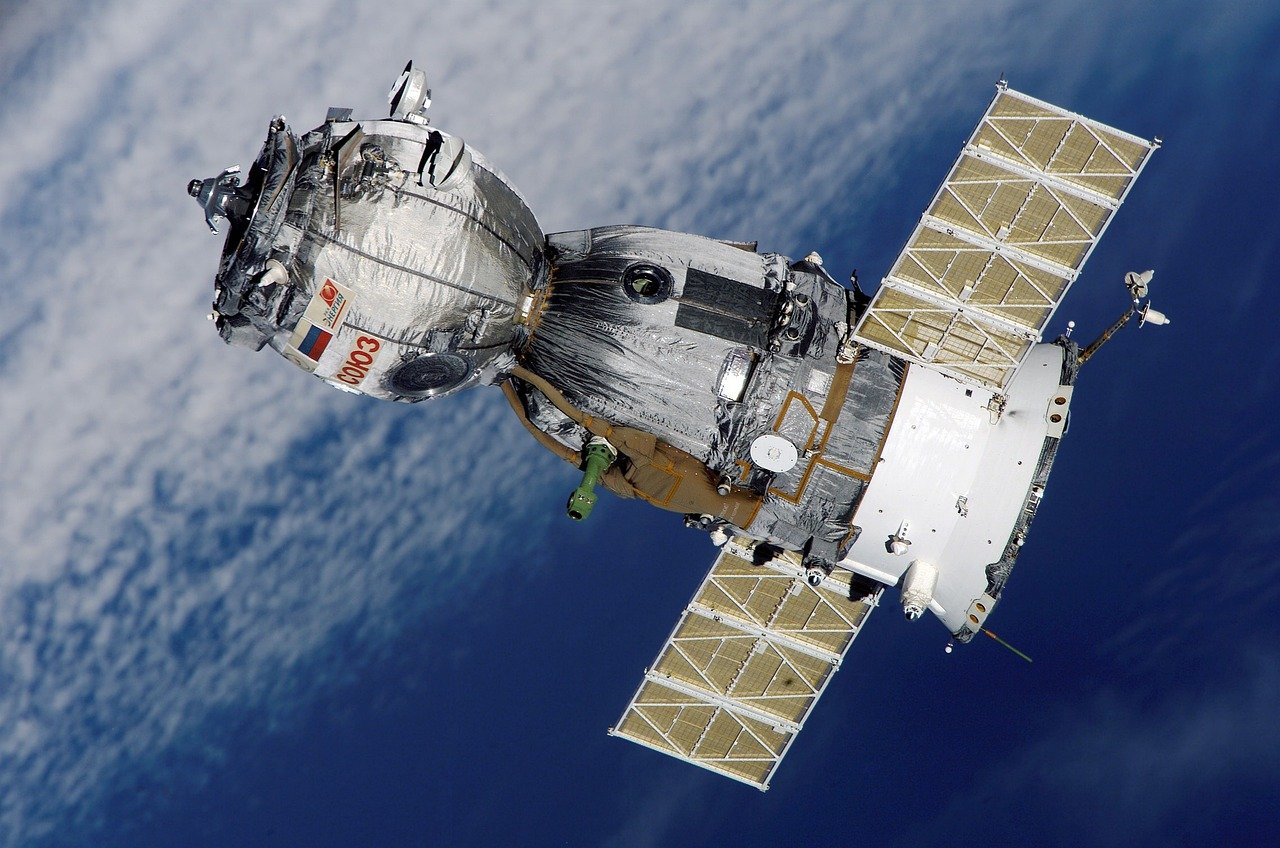
Laptops get lost, stolen, or damaged. A rugged portable SSD with hardware encryption provides secure backup that survives drops, water exposure, and extreme temperatures.
Hardware encryption (AES-256) protects data without slowing transfer speeds. Unlike software encryption, hardware encryption operates independently of your operating system – crucial if your laptop is compromised.
Rugged SSDs meet military drop-test standards (MIL-STD-810G) and IP67 water resistance ratings. I’ve accidentally run my backup drive through a laundry cycle – it survived without data loss.
Capacity sweet spot: 1-2TB for most digital nomads. SSDs are more expensive than HDDs but offer 3-5x faster transfer speeds and superior durability. For video editors or photographers, 4TB+ provides adequate working storage.
10. Cloud Storage Backup Service with Offline Access
Physical backups aren’t enough. A reliable cloud storage service with offline file access ensures your work survives hardware loss, theft, or natural disasters.
Look for services with automatic background syncing – manual backups are the backups you forget to create. Version history lets you recover previous file versions when mistakes happen (and they will).
Offline access is critical: unreliable internet shouldn’t block access to essential files. Services that cache frequently used documents locally enable productivity during flights, bus rides, and remote locations.
Zero-knowledge encryption means even the storage provider can’t access your data. For client confidentiality, this level of security is non-negotiable. Two-factor authentication adds another layer of protection against unauthorized access.
Mobile Office Accessories
11. Phone Stand with Adjustable Angles
Your phone is a secondary work device – email, messaging, video calls, and project management happen on mobile. A compact phone stand enables hands-free viewing during video calls and comfortable typing when using a wireless keyboard.
Foldable designs collapse flat, minimizing packed volume. Aluminum construction provides stability without plastic flex. Adjustable angles (30-70 degrees) accommodate different seating positions and lighting conditions.
Some stands include wireless charging coils – convenient but check charging speed (5W vs 15W makes a difference for battery top-ups during short work sessions).
For international travel, ensure the stand accommodates your phone with its protective case on. Narrow stands struggle with bulky rugged cases.
12. Digital Luggage Scale with Weight Tracking
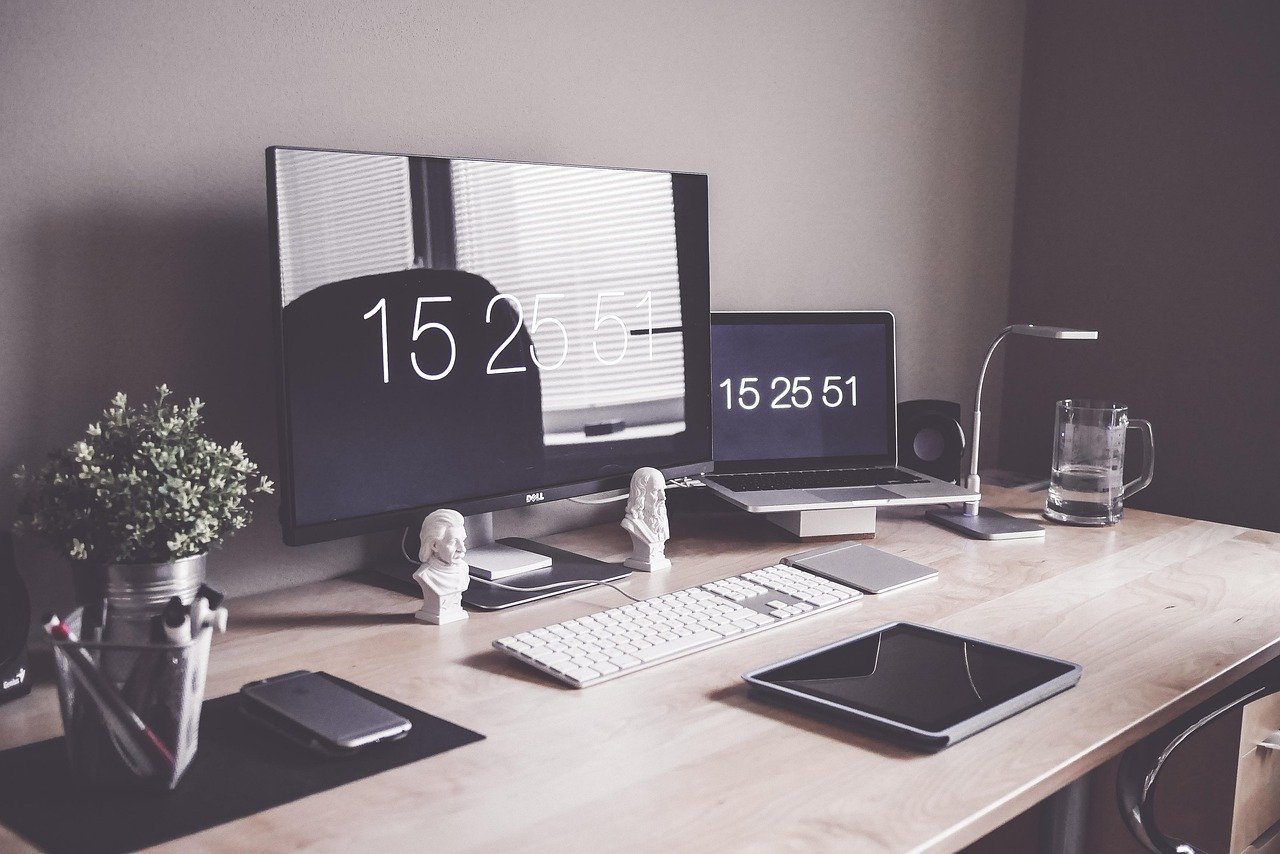
Airlines enforce weight limits strictly, and overweight fees destroy travel budgets. A compact digital luggage scale prevents unpleasant surprises at check-in counters.
Look for scales with 110-pound capacity (sufficient for most airlines’ 50-pound checked bag limits). Accuracy within 0.1 pounds prevents guessing games with baggage allowances.
Backlit displays enable weighing in low-light conditions (early morning flights, dimly lit hotel rooms). Auto-off functions preserve battery life – CR2032 batteries typically last 1-2 years with regular use.
Tare functions let you weigh luggage inside bags: weigh yourself holding the bag, then weigh yourself alone, and subtract the difference. This trick works when hooking the scale directly isn’t practical.
Choosing the Right Gadgets for Your Workflow
Not every digital nomad needs every gadget on this list. Your choices should reflect your work style, destinations, and budget:
Essential for Everyone
Universal travel adapter, high-capacity power bank, electronic organizer, and noise-canceling earbuds benefit every remote worker regardless of profession. These four items solve the most common travel productivity problems.
Role-Specific Priorities
- Writers/Editors: Laptop stand, wireless keyboard, and webcam cover enable comfortable writing sessions anywhere.
- Developers/Designers: Portable SSD backup and high-speed connectivity (portable WiFi hotspot) protect your work and enable large file transfers.
- Photographers/Videographers: Rugged SSD storage and high-capacity power banks support intensive media workflows.
- Consultants/Coaches: Privacy screens and noise-canceling earbuds create professional client interaction environments.
Budget-Friendly Alternatives
Premium gear delivers premium experiences, but budget alternatives exist. Instead of a $200 portable SSD, consider cloud storage plus a cheaper 500GB drive. Replace expensive universal adapters with region-specific models purchased locally.
For wireless keyboards, $30 models offer adequate typing feel for occasional use. Phone stands can be improvised with books and water bottles in a pinch. Prioritize gadgets that solve daily annoyances – the items you reach for most often justify higher quality investments.
Packing Your Digital Nomad Tech Kit

Organization prevents the “where’s my charger?” panic that kills productivity. Use the electronic organizer as your tech hub: all chargers, cables, and small accessories live in one dedicated pouch.
Keep frequently-used items accessible: laptop stand, wireless keyboard, and noise-canceling earbuds should be grab-and-go ready. Store backup items (spare cables, secondary chargers) deeper in your pack.
Weight distribution matters: place heavier items (power bank, laptop charger) close to your back in your backpack. Lighter items (cables, earbuds) can occupy outer compartments.
Develop a pre-work routine: unpack electronic organizer, set up laptop stand, connect keyboard, unpack earbuds. Consistent routines reduce setup time and mental energy – both are precious resources when you’re adjusting to new environments.
Security and Maintenance Tips
Data Security
Enable two-factor authentication on all accounts. Use a password manager – reusing passwords across public WiFi networks is asking for trouble. Encrypt sensitive files before uploading to cloud storage.
Back up data daily: physical SSD backup plus automatic cloud sync provides redundancy. Test restores periodically – discovering your backup is corrupted when you need it is too late.
Hardware Maintenance
Clean ports regularly: compressed air removes dust and debris from charging ports. Isopropyl alcohol wipes clean germ-prone surfaces (keyboards, phone screens) without damaging electronics.
Update firmware: manufacturers release security patches and performance improvements. Check for updates monthly, ideally before international travel when you have reliable WiFi.
Inspect cables weekly: fraying insulation exposes wires and creates fire hazards. Replace damaged cables immediately – cheap replacements are available worldwide, but quality is inconsistent.
Theft Prevention

Never leave tech unattended in public spaces. Cable locks secure laptops in temporary workspaces (cafes, libraries). Tracking devices (AirTags, Tile trackers) locate bags if they’re misplaced or stolen.
Insurance covers hardware but not data. Keep backups separate from primary devices – cloud storage plus physical backup in different bags provides redundancy.
Future-Proofing Your Tech Kit
Technology evolves rapidly. Choose gadgets with longevity features: USB-C charging (industry standard), modular components (replaceable batteries), and software updates.
Buy quality once: a $150 portable SSD that lasts 5 years costs less per year than three $60 drives that fail after 18 months. Read reviews focusing on long-term durability, not initial impressions.
Sell or trade outdated gear: digital nomad communities have active marketplaces for used tech. Recoup costs while upgrading to newer models.
Conclusion: Invest in Your Productivity
The right travel gadgets don’t just make remote work possible – they make it enjoyable. After six months of continuous travel across four continents, my tech kit has paid for itself dozens of times in productivity gains, avoided headaches, and missed work opportunities.
Start with the essentials: power adapter, power bank, and electronic organizer. These three items solve 80% of travel tech problems. Add specialized gear (laptop stands, wireless keyboards, SSD backups) as your budget and work demands justify.
Remember: the best gadgets are the ones you actually use. Complicated tech that stays in your bag is wasted weight and money. Focus on simple, reliable tools that enhance your existing workflow rather than forcing you to learn new systems.
Your digital nomad journey will be filled with unexpected challenges – unreliable WiFi, cultural differences, language barriers. The right tech minimizes these challenges, letting you focus on what matters: productive work, authentic travel experiences, and the freedom that comes from location independence.
What portable tech can’t you live without while traveling? Share your must-have gadgets in the comments below.
2 thoughts on “Best Portable Travel Gadgets for Digital Nomads: Essential Tech for 2026”