The dream of quitting your job, buying a van, and traveling full-time used to mean completely disconnecting from the digital world. No video calls with family. No streaming movies on rainy days. No GPS navigation beyond downloaded maps. But in 2026, van life and remote work are not just compatible—they are becoming the norm for thousands of digital nomads who have discovered that you do not have to choose between adventure and connectivity. Whether you are a freelancer, entrepreneur, or simply someone who wants to stay in touch with loved ones while exploring the country, having reliable internet on the road is no longer a luxury—it is essential.
The challenge, of course, is that most of the best camping spots are precisely where cell signals do not reach. Deep in national forests, perched on mountain overlooks, tucked away on BLM land miles from civilization. That is the whole point of van life, right? Getting away from it all. But when “it all” includes your livelihood, you need solutions that work consistently. Modern van dwellers have more options than ever before, from traditional cellular boosters to satellite internet that would have seemed like science fiction just a few years ago. The key is understanding which solution fits your specific needs, travel style, and budget. If you are looking for more great ways to stay connected on the road, understanding your options is the first step.

Why Van Life Internet is Different Than Home Internet
Before diving into specific solutions, it is important to understand why mobile internet is fundamentally different from the home internet you are used to. At home, you probably have a cable or fiber connection that delivers consistent speeds regardless of weather, time of day, or what your neighbors are doing. Mobile internet is subject to a completely different set of variables that can make or break your remote work setup. Understanding these factors is not just technical trivia—it is the difference between smoothly streaming a video call with clients and frantically searching for signal while missing important deadlines.
The first factor is terrain. Cellular signals travel in line-of-sight paths, which means mountains, forests, and even dense vegetation can block or weaken your connection. You might have perfect 5G signal in a grocery store parking lot but zero bars just five miles away in a camping spot surrounded by trees. This inconsistency is why many van lifers end up with multiple internet solutions—you need redundancy because no single option works everywhere. The second factor is network congestion. Unlike home connections, cellular bandwidth is shared with everyone else connected to the same tower. During busy times when lots of people are using the network, your speeds can drop dramatically even with full signal bars.
Weather plays a surprising role too. Heavy rain can degrade both cellular and satellite signals, though satellite internet is particularly vulnerable to precipitation fade. And then there is the hardware factor—your equipment quality and setup dramatically affect performance. A cheap hotspot from a discount store will never match a properly installed antenna and cellular signal booster system designed for mobile use. This is why van lifers who depend on reliable internet invest in professional-grade equipment rather than relying on consumer solutions that were not built for full-time road life. The good news is that once you understand these factors and plan accordingly, you can build a system that keeps you connected in places where other vans cannot get online.
Cellular Solutions: Boosters, Hotspots, and Antennas
For most van lifers, cellular internet remains the foundation of their connectivity strategy. It is generally faster, more reliable, and less expensive than satellite options. But using your phone as a hotspot while working from the road is not sustainable for serious remote work. You need dedicated equipment designed for mobile use, and understanding the different components will help you build a system that actually works in real-world conditions. The basic cellular setup consists of three pieces: an outside antenna to capture weak signals, a booster to amplify those signals, and a hotspot or router to distribute the connection to your devices. Each component matters, and skimping on any one of them will bottleneck your entire system.
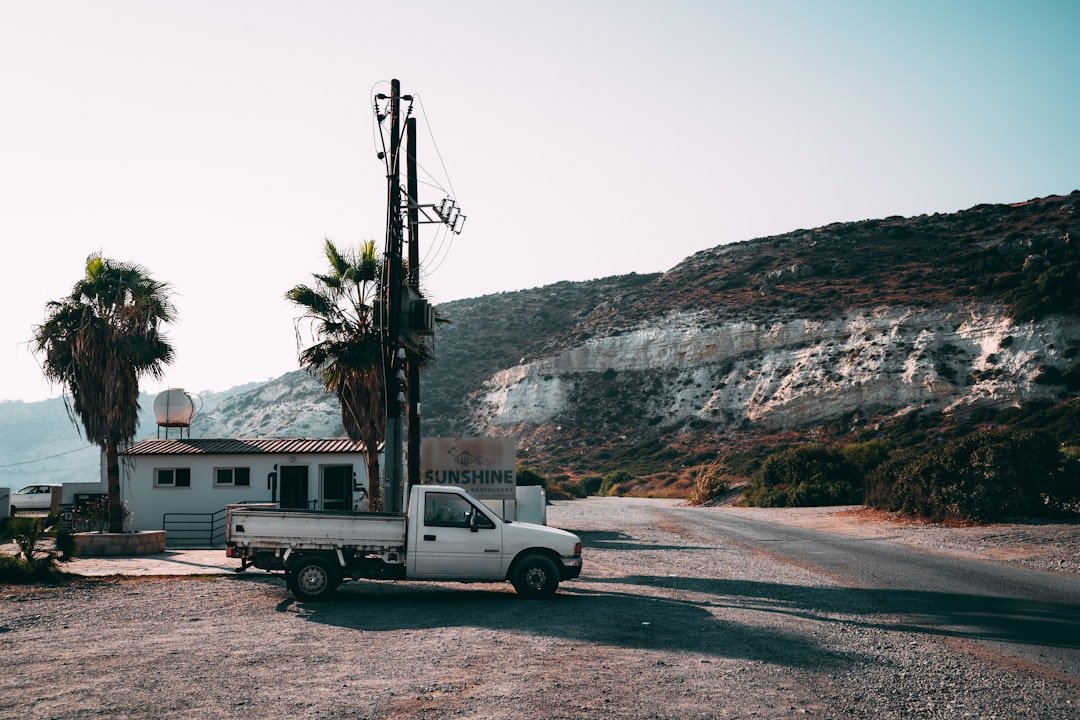
Outside antennas come in two main varieties: omnidirectional and directional. Omnidirectional antennas capture signals from all directions, which sounds great until you realize they are also capturing noise and interference from all directions. Directional antennas, often called Yagi antennas, need to be pointed toward a specific cell tower but provide much stronger signal gain in that direction. For van lifers who frequently camp in remote areas with weak signals, a directional antenna mounted on a mast that can be rotated and elevated is often the difference between getting online and not. When you are forty miles from the nearest town in a national forest, being able to precisely aim your directional antenna at the tower on the mountain across the valley matters enormously. Many van lifers build simple PVC masts that can be raised ten to fifteen feet above the van roof, getting the antenna above trees and obstacles that block signals.
Boosters are the second critical component, and this is where quality really matters. Cheap boosters from electronics stores often provide minimal gain and can actually interfere with cellular networks if they are not properly designed. Professional-grade boosters from companies like weBoost and SureCall are FCC-certified and provide significantly better performance. These boosters work by capturing the weak signal from your outside antenna, amplifying it, and then rebroadcasting it inside your van through an interior antenna. The key specification to look at is gain—measured in decibels—and professional boosters typically provide 50-70 dB of gain compared to consumer units that might offer 20-30 dB. That difference determines whether you can get online at all in marginal signal areas. The third component is your hotspot or router, which connects to the boosted signal and creates a Wi-Fi network inside your van. Dedicated hotspots from cellular carriers work, but many van lifers prefer router solutions that can accept external antenna connections directly and provide better Wi-Fi coverage throughout the vehicle.
Satellite Internet: Starlink and Beyond
Cellular solutions work great when you are within range of a tower, but what about those magical camping spots that are specifically chosen because they are miles from any cell coverage? That is where satellite internet has revolutionized van life in the past few years. Before 2020, satellite internet was slow, expensive, and required massive, permanently-mounted dishes that made no sense for van lifers. But Starlink changed everything with a constellation of low-earth-orbit satellites that provide high-speed internet virtually anywhere you can see the sky. The original Starlink dish was still bulky and power-hungry, but the introduction of the Starlink Mini in 2024 made satellite internet practical for van dwellers who want true freedom to roam without worrying about cellular coverage.
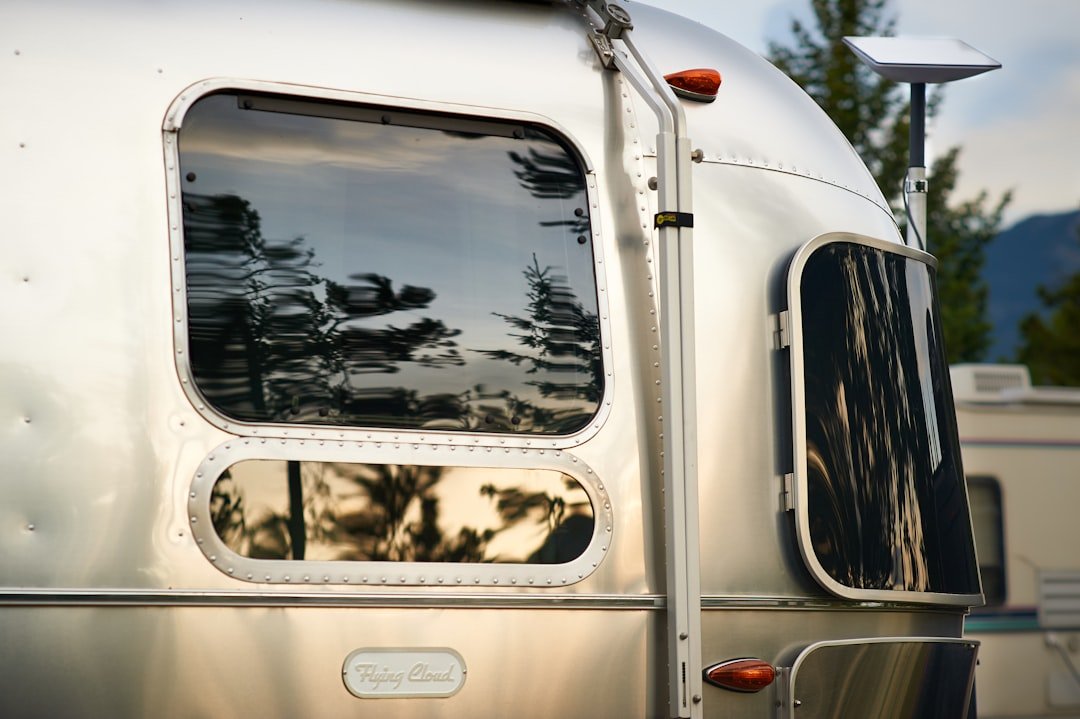
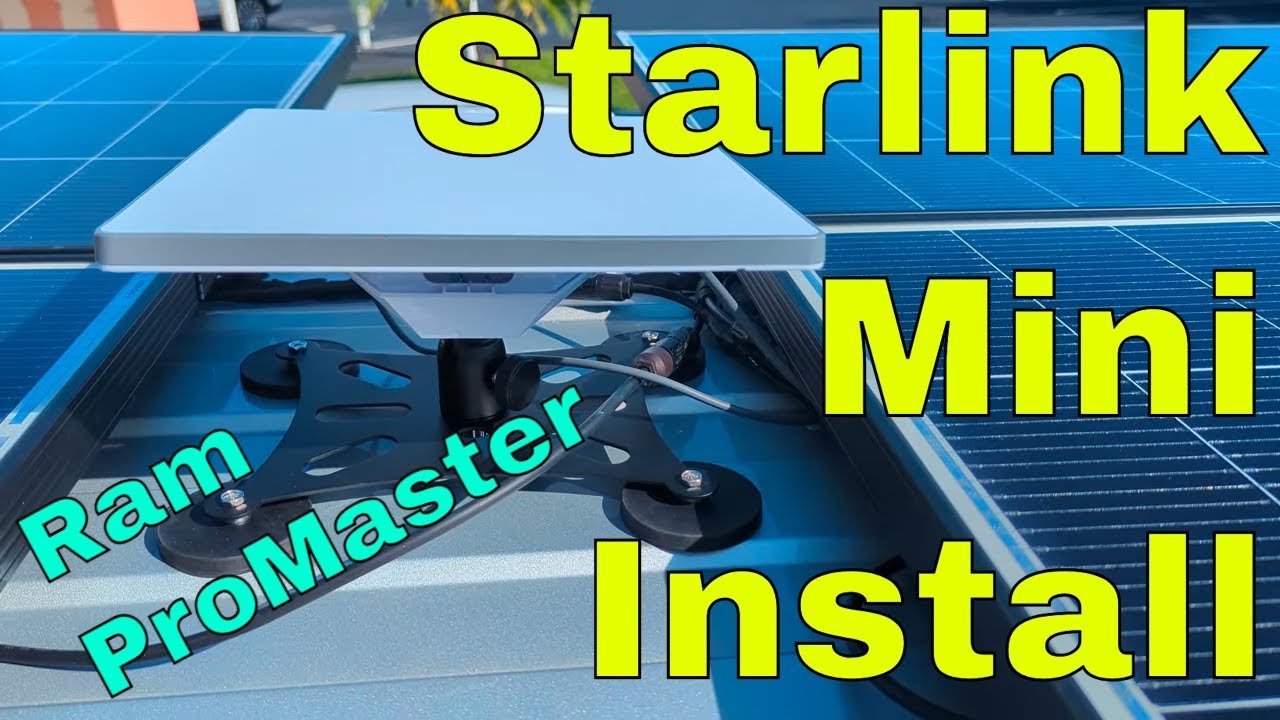
The Starlink Mini is about the size of a laptop and draws minimal power compared to the original dish. More importantly for van installation, it can be mounted flat on a roof with a low-profile bracket that does not catch wind or create drag while driving. Installation involves mounting the bracket to the roof, attaching the dish, and routing a single cable inside to the power supply and router. What makes Starlink particularly compelling for van lifers is that it just works. There is no aiming required, no searching for towers, no worrying about whether you are in a coverage area. If you can see the sky, you have internet. The speeds typically range from 50-200 Mbps depending on your location and satellite congestion, which is more than adequate for video calls, streaming, and most remote work needs. The latency is higher than cellular—typically 30-60 milliseconds compared to 5-20ms for cellular—but this is only noticeable for real-time gaming, not most work applications.
The downside is cost. Starlink Mini requires hardware purchase plus a monthly subscription that is significantly more expensive than cellular plans. The hardware runs around $599, and monthly service is $120-150 depending on whether you choose a regional or global plan. For serious remote workers who need guaranteed connectivity regardless of location, this cost is easily justified. But for casual van lifers who only need internet occasionally, it might be overkill. There is also the power consideration to keep in mind—Starlink Mini draws 20-40 watts when operating, which is not huge but does add up if you are boondocking without much solar capacity. Many van lifers solve this by only using Starlink when they need it and relying on cellular for routine connectivity, or by installing larger battery banks and solar systems specifically to power their satellite internet. The beauty of Starlink is that it provides true independence—you are no longer restricted to camping within cellular range, which opens up entirely new possibilities for off-grid exploration while maintaining a professional career.
Building a Redundant System: Why You Need Multiple Options
Here is the reality that experienced van lifers learn the hard way: no single internet solution works everywhere. Cellular is fast and cheap but does not work in remote areas. Satellite works anywhere but is expensive and has higher latency. This is why most full-time van dwellers who depend on internet for work build redundant systems with multiple options. When one solution fails, you switch to another. It is not about being wasteful—it is about professional reliability. Imagine being on a video call with an important client when your cellular signal suddenly drops because a tree branch moved in the wind. With only one internet source, you are disconnected and unprofessional. With a backup solution, you switch to satellite and continue the call without missing a beat.
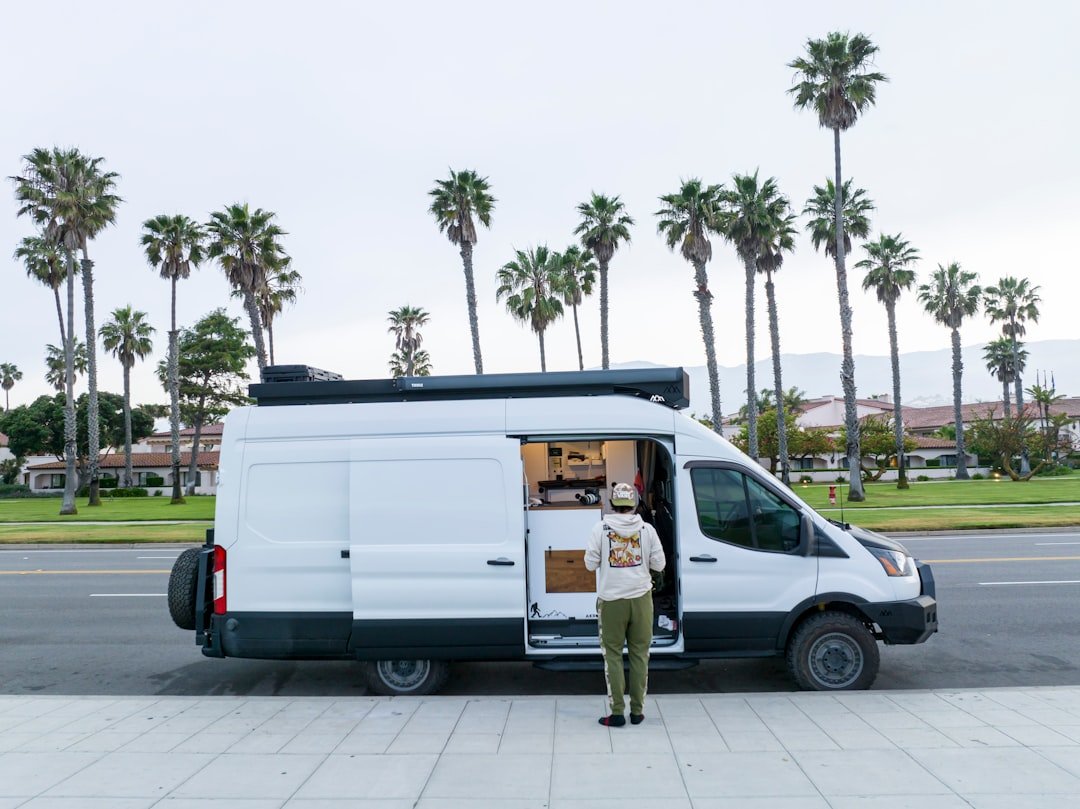
The most common redundant setup combines cellular booster/antenna systems with Starlink Mini for satellite backup. This gives you the best of both worlds—fast, affordable cellular when it is available, and satellite as backup when you are truly off-grid. Some van lifers also add a third layer: a second cellular provider on a different network. Since Verizon, AT&T, and T-Mobile have different coverage areas, having hotspots on two different networks dramatically increases your chances of finding signal. Others add dedicated hotspot devices from carriers like Visible or Mint Mobile that offer unlimited data for reasonable prices, using these for routine tasks like email and browsing while saving their primary connection for bandwidth-heavy work. The key is understanding your specific needs and building redundancy accordingly. If you mostly work in areas with decent cellular coverage, maybe you do not need satellite at all—just dual cellular providers. If you frequently camp deep in national forests, Starlink might be essential rather than optional.
Power management becomes more complex with redundant systems, but this is easily solved with proper planning. Most van lifers install battery monitors and switched power supplies so they can control exactly which internet devices are drawing power at any given time. You might run your cellular booster continuously since it draws minimal power, but only turn on Starlink when you actually need satellite connectivity. Automation helps too—some systems automatically switch between internet sources based on signal strength and speed, so you are always using the best available option without manual intervention. The cost of building redundant systems adds up quickly, but when your livelihood depends on connectivity, it is professional insurance rather than luxury spending. Think of it this way: what is it worth to never miss a deadline because of internet issues? For most remote workers, that peace of mind is priceless.
Power Considerations for Internet Equipment
One aspect of van life internet that often gets overlooked is power consumption. When you are plugged into shore power at an RV park, power draw is irrelevant. But when you are boondocking on BLM land miles from the nearest electrical outlet, every watt matters. Your internet equipment needs to run 24/7 if you want to be reachable for work, which means it is constantly drawing power from your battery bank. This directly affects how large your battery system needs to be and how much solar capacity you require to recharge those batteries daily. Let us break down the typical power consumption of common internet solutions so you can plan accordingly. A cellular booster typically draws 10-15 watts when operating, which works out to 240-360 watt-hours per day if running continuously. That is not huge in the context of a typical van electrical system, but it is not negligible either.
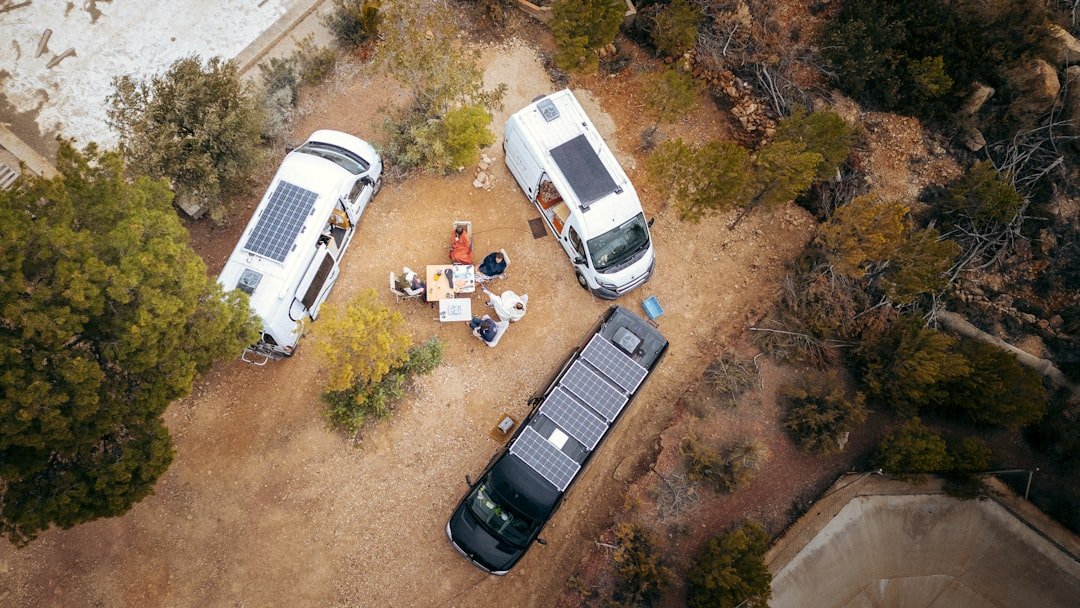
Hotspot devices are very efficient, usually drawing only 5-10 watts, so figure 120-240 watt-hours daily. A cellular router with an external antenna connection might draw 15-20 watts. Where power consumption really adds up is with satellite internet. Starlink Mini draws 20-40 watts depending on whether it is actively transmitting data, which works out to 480-960 watt-hours daily if left on continuously. For reference, a typical van fridge draws about 40-60 watts but cycles on and off throughout the day, averaging maybe 400-600 watt-hours daily. So Starlink Mini can use as much or more power than your refrigerator, which is a significant consideration when sizing your electrical system. This is why many van lifers who use Starlink do not leave it running continuously—they turn it on only when they need satellite connectivity and rely on cellular the rest of the time. Some install automatic switches that power down Starlink when good cellular signal is available, automatically switching to satellite only when cellular drops below a certain threshold.
Your battery bank needs to be large enough to power your internet equipment along with all your other van systems for the maximum number of days you expect to go without significant solar input. In winter, or when camping in forests where solar panels are shaded, you might go several days without much charging from solar. A typical rule of thumb for van lifers who work remotely is having at least 200-300 amp-hours of lithium battery capacity minimum, with 400+ amp-hours being more comfortable if you are running Starlink regularly. Solar capacity should ideally be 200-400 watts minimum, though more is always better if you have roof space. The key is understanding your specific power consumption pattern. If you mostly work from coffee shops and only need internet in the van occasionally, you can get away with smaller systems. But if you are a full-time remote worker who needs reliable internet 8+ hours per day while boondocking, you need to size your electrical system accordingly. Many van lifers discover the hard way that they undersized their electrical systems after installing power-hungry internet equipment, leading to expensive upgrades later. Better to plan correctly from the beginning.
Real-World Setup: A Practical Van Internet System
Let us walk through what a practical, professional-grade van internet system actually looks like in 2026. This is not theoretical—it is what many successful van-life remote workers are actually using, and it balances cost, performance, and reliability. The foundation starts with cellular. A weBoost Drive Reach RV booster ($500) mounted inside the van, connected to a directional Yagi antenna ($150) on a simple mast that can be raised and rotated from inside the vehicle. The antenna connects to the booster via low-loss cable, and the booster connects to a Cradlepoint IBR900 router ($700) that creates a Wi-Fi network inside the van. This router supports external antenna connections directly and can manage multiple cellular connections simultaneously. For cellular service, the router has a SIM card from a major carrier with an unlimited data plan that prioritizes remote work traffic.
For redundancy, there is a second SIM from a different carrier in a MoFi4500 router ($400) that automatically switches over if the primary connection fails. Between the two carriers, you have got coverage virtually anywhere there is any cellular signal at all. For satellite backup, a Starlink Mini ($599 hardware, $120/month service) is mounted on a low-profile roof bracket ($80) specifically designed to reduce wind resistance and keep the dish below the level of any solar panels to avoid shading. The Starlink power supply is connected to a switched circuit so it can be turned off when not needed to conserve power. A simple manual switch inside the van allows selecting between cellular and Starlink, though an automatic transfer switch could be installed for hands-free operation. All internet equipment is powered through a Victron Lynx distributor system with proper fusing, and power consumption is monitored through a Victron smart shunt that tracks exactly how much energy each system is using.
The electrical system backing all this up consists of a 400 amp-hour lithium battery bank ($2,000) charged by 400 watts of solar panels ($1,200) on the roof. This provides enough power to run all internet equipment continuously along with other van systems for 2-3 days even without significant solar input. An optional 2000 watt inverter/charger ($1,500) can charge the batteries from shore power or a generator when needed, though most of the time the solar system handles all charging needs. Total equipment cost for this professional-grade system is roughly $6,000-7,000 including installation, plus $150-200 monthly in service fees depending on your cellular and satellite plans. That is not cheap, but when your entire livelihood depends on reliable internet, it is a reasonable business expense. Compare it to renting office space in a city—the van life internet setup pays for itself in months rather than years. And unlike renting office space, you are building equity in equipment that travels with you wherever you go.
Installation Best Practices and Common Mistakes
Installing internet equipment in a van seems straightforward, but there are several details that separate professional installations from amateur setups that do not work reliably. The most common mistake is improper antenna mounting. Your outside antenna needs to be mounted as high as possible with a clear view in all directions (for omnidirectional) or toward the nearest known cell tower (for directional). Mounting an antenna low on the van roof, especially if there are other obstructions like roof boxes, fans, or solar panels nearby, will dramatically reduce performance. Many van lifers build simple masts using PVC pipe that can be raised ten feet or more above the roof when parked, then collapsed for travel. This gets the antenna above trees and obstacles that block signals. The mast needs to be securely mounted so it does not damage the roof or become a projectile in an accident, but it does not need to be particularly strong—it just needs to hold the antenna upright in normal winds.

Cable quality is another critical factor that gets overlooked. The coaxial cable connecting your outside antenna to your booster carries a very weak signal, and any signal loss in the cable directly reduces your performance. Cheap RG58 cable might seem fine, but it has significant signal loss over distance. LMR400 or equivalent low-loss cable costs more but preserves more of the signal your antenna worked so hard to capture. Keep cable runs as short as possible—every foot of cable is signal loss. And use proper, weatherproof connectors that will not corrode over time. There is nothing worse than troubleshooting internet issues only to discover that a corroded connector has been degrading your signal for months. Use dielectric grease on all outdoor connections and wrap them properly with heat-shrink tubing or self-amalgamating tape. Inside the van, organize your cables neatly and label everything. Future-you will thank present-you when you need to troubleshoot an issue at 10 PM before an important deadline.
When mounting Starlink or other satellite dishes, pay special attention to the mounting location and orientation. The dish needs a clear view of the sky without obstructions from roof equipment, trees, or terrain. Many van lifers mount Starlink on a pole that can be rotated and tilted to optimize the view, especially when parked in forests with limited sky visibility. However, the Starlink Mini is designed to work flat mounted on a roof, which simplifies installation considerably. The key is using a proper mounting bracket rather than improvising with materials that were not designed for the application. Low-profile brackets specifically designed for the Mini reduce wind resistance and keep the dish from catching air while driving. They also position the dish at the optimal angle for satellite communication. When routing cables through the roof, use proper cable glands with silicone sealant to prevent water intrusion. Water leaks are arguably the worst problem to deal with in a van, and a seemingly small cable hole can turn into a major leak if not properly sealed. Take your time with roof penetrations—do it once, do it right.
Budget vs. Premium: Where to Spend and Where to Save
Not everyone needs or can afford a $7,000 professional-grade internet system. The good news is that you can build functional van life internet at multiple price points, as long as you understand where cutting corners actually saves money versus where it just creates problems later. Let us break it down by budget level and what is realistic at each tier. At the absolute minimum, for casual van lifers who only need internet occasionally and can plan travel around cellular coverage, a simple cellular hotspot is adequate. A hotspot from your carrier costs $50-200, and most plans include hotspot capability with your existing phone plan. This works fine if you are mostly camping near towns and do not depend on internet for work. You will be limited to areas with decent cellular signal, but for occasional use, that is perfectly acceptable. The next step up is adding a basic booster and antenna, which costs $200-400 for consumer-grade equipment. This extends your range and allows you to get online in more remote locations, but you will still be limited to areas within cellular coverage.
For serious remote workers, the professional tier starts around $1,500-2,000. This includes a quality booster ($400-600), directional antenna ($150-250), and dedicated router/hotspot ($400-700). This setup will get you online in most areas within 20-30 miles of a cell tower, which covers a huge portion of the country including many national forest and BLM camping areas. It is reliable enough for full-time remote work as long as you are strategic about where you camp. Adding Starlink Mini to this setup brings you into the $2,500-3,000 range total including hardware and installation. At this level, you have true redundancy—cellular for routine use and satellite as backup when you are truly off-grid. This is the sweet spot for most van life remote workers who need guaranteed connectivity regardless of location. Beyond this level, you are getting into multiple cellular providers, automated switching systems, and larger electrical systems to support power-hungry equipment. These $5,000+ setups make sense for full-time remote workers whose income absolutely depends on connectivity, or for van lifers who frequently camp in extremely remote areas.
The key is being honest about your specific needs rather than overspending on capability you will never use. If you mostly camp within cellular coverage and just want the ability to get online when you choose to, you do not need Starlink. If you only travel occasionally and can plan routes around cellular coverage, a simple booster and hotspot is probably sufficient. But if quitting your job to travel full-time while maintaining a remote career is the goal, then investing in professional-grade equipment is just business overhead. Think of it this way: what would it cost you in lost income or opportunities to miss important work because of internet issues? A $3,000 internet system that prevents even one missed deadline pays for itself immediately. The van life community is full of stories about people who cheaped out on internet equipment initially, then spent twice as much upgrading after a disastrous work situation convinced them that reliability was worth paying for. Learn from their experience rather than repeating it.
The Future of Van Life Internet
The rapid evolution of mobile internet technology in the past few years suggests that van life connectivity will continue improving dramatically. Starlink is already testing direct-to-cell technology that will allow standard phones to connect to satellites without specialized equipment, potentially eliminating dead zones entirely by 2027. Cellular carriers are aggressively expanding 5G coverage into rural areas, and mid-band 5G specifically offers excellent range and performance that will benefit rural users. Cellular boosters continue getting more powerful and efficient, with new designs that integrate multiple frequency bands and automatically optimize for the best available signal. Power efficiency is improving too—newer satellite dishes and boosters draw less power for the same or better performance, which matters enormously for solar-powered vans. We are also seeing better integration between different internet sources, with routers that can seamlessly switch between cellular, satellite, and even public Wi-Fi networks based on which offers the best performance at any given moment.
For van lifers who have not yet built out their internet systems, this rapid technological change creates both opportunity and hesitation. On one hand, equipment that seems cutting-edge today might be outdated in two years. On the other hand, waiting for perfect technology means missing years of travel and remote work opportunities. The pragmatic approach is to build a system that works well for your needs today, understanding that you can upgrade individual components as better technology becomes available. A quality cellular booster and antenna system will remain useful for years even if newer, more powerful models are released. Similarly, Starlink Mini hardware can be resold or upgraded to newer models when the next generation offers compelling improvements. The foundation—proper antenna mounting, quality cabling, adequate electrical system—will remain valuable regardless of which specific equipment you are using.
Looking ahead even further, we are likely to see more competition in the satellite internet space. Amazon is Project Kuiper and other constellations are in development, which should drive down prices and improve performance through competition. Cellular carriers are investing heavily in rural coverage as they recognize the growing market of remote workers and van lifers. The days of having to choose between off-grid adventures and professional careers are ending—technology is making it possible to have both without compromise. For now, the systems and strategies outlined in this guide represent the state of the art for van life internet in 2026. They work reliably for thousands of remote workers who are living the dream full-time. Whether you are just starting to consider van life or you are already on the road struggling with connectivity, building a proper internet system is one investment that will pay dividends every single day you spend traveling. The freedom to work from anywhere is worth every penny and every hour spent planning and installing professional-grade equipment.
Bottom Line: Building Your Van Life Internet Strategy
Reliable internet on the road transforms van life from an extended vacation into a sustainable lifestyle. It opens up possibilities for remote work, keeps you connected with family and friends, and provides access to entertainment and information wherever you roam. But achieving this freedom requires thoughtful planning, quality equipment, and realistic expectations about what is possible given current technology. The van lifers who succeed at building professional remote careers on the road are not just lucky—they have invested in redundant systems that work when they need them, regardless of location. Start by assessing your specific needs. How often do you need internet? What kind of work do you do? Where do you prefer to camp? These answers will guide your equipment choices and budget. If you are mostly traveling near towns and only need internet occasionally, a simple hotspot and booster might suffice. But if full-time remote work from anywhere is the goal, plan to invest in professional-grade cellular equipment plus satellite backup.

Do not skimp on the foundation—proper antenna mounting, quality cabling, and adequate electrical power make the difference between systems that work reliably and systems that fail when you need them most. And remember that redundancy is not wasteful when your livelihood depends on connectivity. Having multiple options means you are never caught without internet when it matters. The van life community has learned these lessons through years of trial and error, and you can benefit from that experience rather than repeating mistakes. Thousands of remote workers are already living the dream, traveling full-time while maintaining successful careers from their vans. Their secret is not magic—it is well-designed internet systems that work reliably in the real world. With the right equipment and installation, you can join them. The freedom to work from mountain overlooks, desert campsites, and forest clearings is absolutely achievable in 2026. It just requires planning, investment, and respect for the technical challenges that mobile internet presents. Build your system right the first time, and you will have the freedom to roam for years to come.